
Affordable Email List Cleanup for Real Estate Agents Using Mailchimp
Clean your Mailchimp list affordably with real-time verification. Reduce bounces, boost deliverability, and improve agent outreach success — all with 98.9% ac

Why Your Real Estate List Is Probably Full of Dead Ends
You send a follow-up to five leads a day. Five hundred emails a month. The open rate looks decent. But every now and then, you get a bounce. Not one or two. Fifteen, maybe twenty. You shrug it off. You've been sending for years—your list must be solid.
It isn’t. Behind the scenes, your sender reputation is eroding. Every bounce, every failed delivery, every catch-all address tells email providers: “This sender can’t be trusted.” You’re burning credibility with inbox filters—and that’s why your hottest leads are landing in spam or never arriving at all.
Your Mailchimp list may feel full, but it’s filled with outdated inboxes, auto-generated role accounts like info@ or sales@, throwaway domains, and placeholder emails that never belonged to real people. Cleaning it now isn’t a luxury. It’s how you keep your campaign deliverable, your reputation intact, and your leads actually seeing your message. This is the affordable email list cleanup for real estate agents using Mailchimp that stops leaks before they sink your pipeline.
Key takeaways
- 15–30% bounce rates are common in uncleaned real estate email lists.
- Even long-standing lists contain role-based and disposable emails that hurt deliverability.
- Real estate agents often underestimate how much email list cleaning directly impacts inbox placement.
The Hidden Cost of Ignoring List Hygiene
You know that list you’ve been sending to for months? The one with a few dead emails, maybe some outdated addresses? Even a small number of invalid emails can start eating away at your deliverability — and not in a way you notice until it's too late. Every hard bounce sends a signal to Mailchimp and other email service providers (ESPs) that you may be sending to inactive or fake addresses. These signals build up. If your bounce rate crosses 5%, many ESPs start throttling your sending volume. Some may even flag your account for review. It’s not a risk — it’s a known threshold used by platforms to filter out poor senders. Let’s be clear: sender reputation isn’t just a buzzword. It’s a hard metric tied to your ability to land in an inbox, not a spam folder. One email with a typosquat or a throwaway domain might not sink you — but hundreds of them do. And once your IP or domain is on a blocklist, recovery takes time and effort. Mailchimp monitors bounce rates closely. So do other major ESPs. If your list is full of errors, your next campaign might not even reach the inbox — regardless of how great your content is. And here’s where it gets costly: unverified lists mean wasted time. You spend hours crafting follow-ups, only to find most aren’t even deliverable. That’s frustration for agents who rely on consistent outreach. It also means lower conversion rates because you’re sending to people who never get the message — never mind acting on it. The real cost isn’t just in failed sends. It’s in your credibility. Over time, consistent delivery problems erode trust in your brand — inside your team and with clients.
What Happens When You Ignore the Basics
You might not see a direct hit on your monthly revenue right away, but every bounced email is a small dent in your sender reputation. And with ESPs using automation for delivery decisions, those dents add up fast. Even role-based addresses like sales@ or info@ can be risky if not properly validated. Some are catch-alls (accepting mail regardless of the specific user), others are blocked. Sending to either type can hurt your stats. The fix isn’t harder than the problem. You just need to clean your list before you send. Email List Validation helps you spot invalid addresses, catch-all domains, and disposable emails before they hurt your deliverability. With 98.9% accuracy, it’s built for teams that need reliable results — not just a quick check. You can get started with 100 free verifications at no cost, and your credits never expire. Whether you’re using Mailchimp, Klaviyo, HubSpot, or SendGrid, you can integrate verification directly into your workflow.
Bulk list cleaning helps you audit and improve your existing audience. Real-time API verification ensures every new sign-up is valid. And inbox placement testing shows where your emails really land.
Your Mailchimp List Is Only as Strong as Its Weakest Email
Let’s be clear: a single invalid email can hurt your deliverability more than you think. If your list contains a spam trap — even one buried in a catch-all domain or a role address — it can trigger sender reputation alerts. Once a domain gets flagged, every message sent from it faces higher scrutiny, even if your content is perfectly clean. Some domains are designed to catch unwanted mail — often set up by spam filters or abuse monitoring systems. If your list includes any email from a domain like that, it’s like dropping a landmine into your campaign. Even if 99% of your list is valid, one bad address can poison your sender reputation. You don’t need to be a security expert to know: if you’re sending to one spam trap, you’re sending to all of them.
Role addresses aren't leads — they're dead ends
You’ve probably seen them: sales@, info@, team@. These aren’t real people. They're not qualified leads, and they’re not even human. Many of these are monitored by filters and automatically flagged as low-value or spam. Worse, some are never checked — meaning you’ll never get a response, and sending to them still counts as activity. RFC 6531 defines that email addresses with broad roles are typically not assigned to single users. Using them for campaigns can hurt your sender authentication score. ISPs treat them as high-risk, especially if your list is full of them. That’s a red flag for spam filters, which can reduce your inbox placement — even if your email is harmless.
Disposable emails don’t convert — they’re just noise
You might think it’s fine to keep temporary addresses like those from mailinator.com or temp-mail.org. But these domains are used by bots, fake accounts, and people who don’t intend to engage. They don’t open, don’t click, and never reply. A 2020 study by Return Path found that 30% of email addresses with disposable domains don’t result in any meaningful engagement. That’s 30% of your sends wasted. Worse, high volumes of sends to disposable domains signal abuse behavior to ESPs like Mailchimp. That can lead to delivery throttling or even a ban. Let’s face it — your list is only as strong as its weakest email. Clean it before it hurts you. A real-time email verification tool catches these issues before you send. It validates domains, identifies role accounts, and flags disposable addresses. You can check your entire Mailchimp list in bulk with a single upload. Bulk email list cleaning helps you identify and remove invalid addresses, so your campaigns reach real people. Use the API to verify new sign-ups at the moment they join. Or try the inbox placement test to see exactly where your emails land — inbox, spam, or nowhere at all. With 98.9% accuracy, Email List Validation removes the guesswork. And with no expiry on purchased credits, you’re covered for the long term.
How Email List Validation Works — No Magic, Just Mechanics
You’ve got a list. You want to send to it. But how do you know it actually works?
Let’s cut through the noise. Email list validation isn’t guessing. It’s not AI pretending to be psychic. It’s a series of checks done by machines, following open internet standards.
The Verification Process, Step by Step
- Check syntax and format. Every email must follow a standard format ([email protected]). We catch typos like
[email protected]oruser@right away. This is the first, fastest filter—no server involved. - Check domain existence. The domain part (e.g.,
gmail.com) must resolve in DNS. A non-existent domain means the email can’t exist. We use IANA’s root zone data to validate this reliably. - Verify MX records. Domains that accept mail must publish MX (Mail Exchange) records. Without them, mail can’t be routed. We confirm MX records exist and are properly formatted.
- Connect via SMTP. We initiate a real connection to the mail server. This confirms the server is live and responding. A server that refuses connection is not accepting mail—this is where many invalid addresses get caught.
- Test the mailbox. We simulate sending a message and ask: “Is this address accepted?” If the server replies with a 250 code (OK, accepted), the address is valid. If it replies 550 (no such user), the address is invalid.
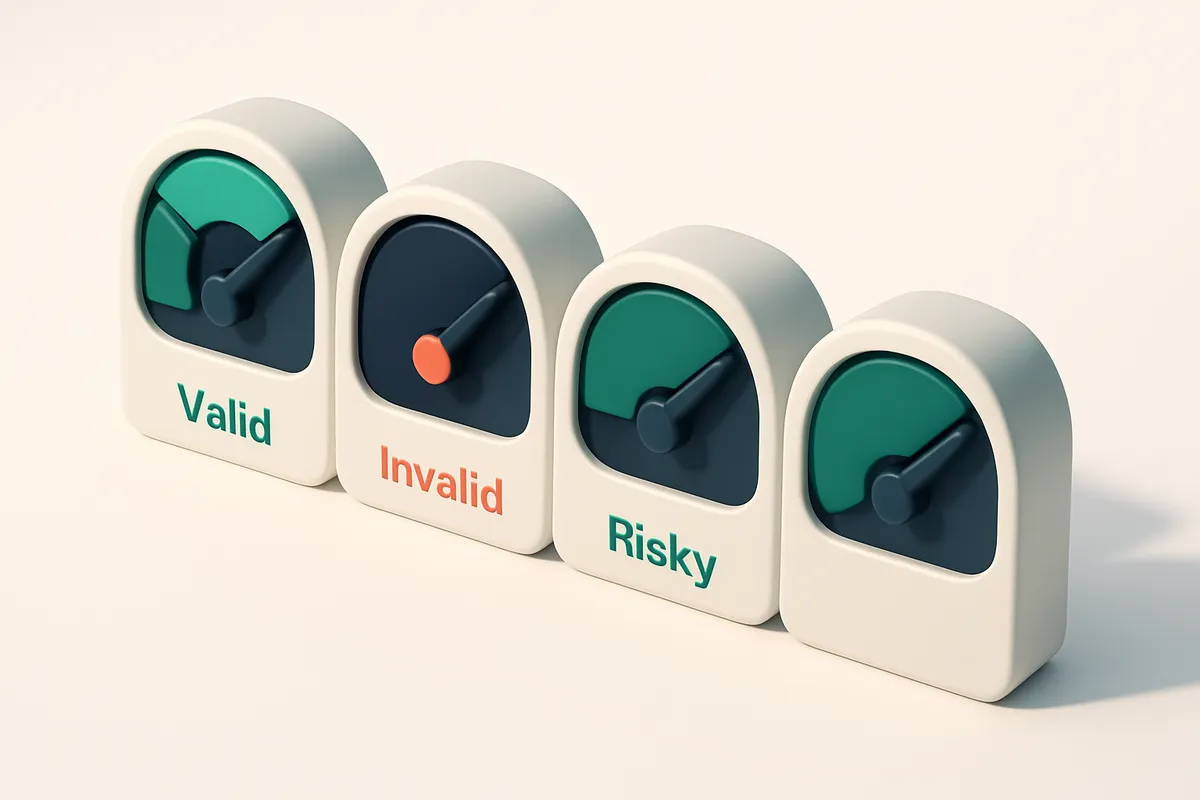
- Classify the result. Every address gets a verdict: valid, invalid, catch-all, or risky. No guessing. No “probably real.” Just facts from the wire.
What the Verdicts Mean
Not all “real” emails are usable. Here’s what each category means:
- Valid: The mailbox accepts mail. You can send to it.
- Invalid: The format is wrong or the domain doesn’t exist. These are dead ends.
- Catch-all: The domain accepts all incoming mail—even to non-existent accounts. These are high-risk: you might send to someone who never signed up. Most ISPs block or flag these.
- Risky: The email may exist, but signs point to trouble: greylisting, temporary failure, or known disposable domain. These may bounce later.
Let’s say you send to 1,000 addresses. Half are invalid or catch-all. The other half might not land in inbox—not because of a bad subject, but because the sender reputation tanks from sending to bad addresses.
It’s not about vanity metrics. It’s about deliverability. And deliverability starts with a clean list.
For real estate agents using Mailchimp, this means fewer bounces, better sender reputation, and higher inbox placement. With bulk list verification, you can clean thousands of addresses in minutes. No friction. No compromise.
And if you’re integrating with Mailchimp, HubSpot, or Klaviyo, our native integrations make validation seamless. Once you’re set up, you don’t have to think about it. Every new list, every new subscriber, verified before it ever lands in your campaign.
Affordable Verification: Clean Your List Without Breaking the Bank
You don’t need a six-figure budget to fix your Mailchimp list. Let’s get real: sending to invalid emails wastes time, hurts sender reputation, and erodes deliverability. The good news? You can clean your list on a budget.
Start Free, Scale Smart
- You get 100 free email verifications to start—no credit card, no trial, no commitment. That’s enough to test your largest segments or spot the worst offenders in your database.
- Purchased credits never expire. Clean your list in batches. No pressure to use them all at once. This matters when you’re managing seasonal campaigns or onboarding new leads slowly.
- Bulk verification checks thousands of addresses at once. It runs through SMTP, MX, and domain-level checks, including catch-all detection and disposable email traps—without slowing down your workflow.
- Across domains, inboxes, and edge cases, our system maintains a 98.9% accuracy rate. This means you’re not just removing obvious typos—you’re catching risky or non-responsive addresses that can hurt deliverability.
Real Results, Real Tools
You’re not paying for buzzwords. You’re paying for precision and control.
- Use the bulk verification tool to process entire mailing lists in minutes. It integrates directly with Mailchimp, so you validate, clean, and re-import without switching apps.
- Deploy the real-time API during sign-up to stop bad data at the source. This stops form spam and invalid entries before they reach your Mailchimp audience.
- When you need a lead’s exact email, use the email finder to pull in verified addresses—ideal for cold outreach or follow-up sequences in real estate.
- Test real inbox placement before sending. See how likely your messages are to land in the inbox versus spam, not just in theory, but across major email providers.
Every email sent counts. According to industry benchmarks, even a 10% bounce rate can reduce inbox placement by up to 30%. Clean lists avoid that drop. They also improve engagement metrics, which ISPs monitor closely.
Deliverability isn’t just about sending—it’s about being allowed to send.
Bounce rates and spam complaints degrade sender reputation. That’s why you can’t afford to ignore dead or risky addresses. You’re not just saving bandwidth; you’re protecting your email future.
With no expiry on credits, you can run regular cleanups. A single month of consistent verification cuts bounces, reduces spam complaints, and improves open rates—without a big up-front cost.
Real estate agents rely on consistent outreach. Clean lists mean more leads contacted, more replies, and better results from every email campaign. You don’t need perfection. Just reliability.
Integrations That Work Seamlessly With Your Existing Workflow
You're using Mailchimp to run your real estate campaigns. You don’t want to jump through hoops just to clean your list. That’s why Email List Validation integrates directly with Mailchimp, HubSpot, Klaviyo, and SendGrid—no manual exports, no CSV headaches.
Verify, Sync, Go
Let’s say you run a bulk verification on your Mailchimp list. The tool checks each address for validity, catch-all status, disposable domains, and role accounts—using real-time SMTP checks and DNS lookups. After the scan, you can push the verified list back into Mailchimp in minutes. No data loss. No re-entry. Just clean, deliverable contacts, ready to go.
And it’s not just one-way. Once set up, you can schedule regular cleanups to keep your list fresh. This keeps your sender reputation strong and your deliverability high—critical when every lead matters in real estate.
Automate the Cleanup from Day One
Think about new signups. You get leads through your website or digital flyers, but you don’t want dead emails cluttering your system. Our API lets you verify every new email instantly at signup. If it’s invalid or disposable, you can prevent it from ever hitting your list—right at the source.
That’s how you build a future-proof list. No more chasing bounces. No more accidental spam traps. Real estate agents using automation like this see measurable improvements in inbox placement. According to Return Path’s deliverability benchmarks, lists with consistent hygiene stay in inboxes 20–30% more often than uncleaned ones.
You’re not just cleaning a list. You’re protecting your brand’s inbox reputation—especially important when sending listings, open-house invites, or follow-ups daily.
Want to see how it works? Check out the full integration setup or explore the bulk verification tool to see what a clean list looks like in action. You can start with 100 free verifications—no risk, no commitment.
Real Estate Agents: Clean Your List Before Your Next Campaign
Start strong with verified email addresses
You’re about to send a list announcement to 1,200 clients. Let’s make sure you reach them — not your inbox, not the spam folder, but their actual inboxes.
Before you hit send on any campaign — whether it’s for a new listing, an open house, or a referral push — verify every email in your Mailchimp list. A single invalid address can derail your deliverability, especially if your list has a high bounce rate.
- Run your entire list through bulk email verification to filter out invalid, disposable, and role-based addresses. Bulk verification catches issues before they cost you.
- Check your sender reputation with a real-time inbox placement test. You’ll see whether your message lands in an inbox, spam, or is quarantined — just like your prospects would.
- Fix catch-all and risky addresses before they trigger spam filters. Some domains accept all emails but never deliver; others mark your campaign as suspicious.
- Use the inbox placement test to simulate how your email appears across major providers. It’s not just about sending — it’s about landing.
- Remove any role accounts (like sales@, info@, agent@). These are often monitored or automatically filtered out, and they skew your open rates.
- Monitor greylisting delays. Some servers temporarily reject mail from new senders — it can take 5–30 minutes or longer to deliver, even if the address is valid.
- Check for disposable domains. These are commonly used for fake signups and increase your risk of being blacklisted.
Protect your sender reputation — it’s your credibility
Every sent email impacts your sender reputation. A high bounce rate — even 0.5% — can trigger spam filters and reduce delivery, especially if you’re not sending consistently.
You don’t want to waste time and effort on a campaign that never reaches your audience. Cleaning your list isn’t about volume — it’s about quality. It means fewer bounces, better engagement, and stronger relationships with your leads.
“Even a small increase in list hygiene can lead to meaningful improvements in deliverability and engagement. It’s a foundational step.” — industry best practice, supported by standards like RFC 5321 and guidelines from Spamhaus.
Use the real-time verification API to catch invalid emails at the moment of capture — before they even enter your Mailchimp list.
Looking to grow your database? Try the email finder to locate verified contact details for your past clients or nearby prospects.
Integrate directly with Mailchimp, Klaviyo, and HubSpot to keep your list clean over time. No more manual cleanup after every campaign.
You’re not just sending emails. You’re building a trusted relationship with your network. A clean list ensures that message lands — every time.
What Each Verdict Really Means for Your Real Estate List
You’re not just cleaning up emails—you’re filtering out the noise that hurts your deliverability and wastes your time. Each verification result tells you something real about an address. Let’s break down what each verdict actually means, so you know which contacts to keep, which to prune, and which to avoid entirely.
Understanding the Verdicts
Not all bounced emails are equal. A "valid" address doesn’t mean it’s engaged—but it is deliverable. An "invalid" one is fundamentally broken. And a "catch-all" or "risky" label? That’s where the real danger lies. These aren't just technical terms; they're signals about your list’s health and your sender reputation.
| Verdict | What It Means | What You Should Do | Why It Matters |
|---|---|---|---|
| Valid | Domain exists, syntax correct, and server accepts messages. This is a real, reachable inbox. | Keep in your Mailchimp list. Prioritize with targeted outreach. | These are your best leads—people who’ve shown interest, opened emails, or engaged before. Clean your list with bulk verification to keep these contacts intact. |
| Invalid | Domain does not exist, or the address has invalid syntax (e.g., missing @, bad TLD). | Remove immediately. These addresses will never receive your email. | Invalid emails cause hard bounces. High bounce rates damage your sender reputation with providers like Gmail and Outlook. Start with 100 free verifications to test your list without risk. |
| Catch-all | The domain accepts any email address—even ones that don’t exist. Often used by disposable or bulk email services. | Exclude unless confirmed. Do not send to these addresses. | Catch-all domains are high-risk. They can be used to game systems, inflate list sizes, or collect spam. Using them signals poor list hygiene. Many email providers flag such domains as suspicious. |
| Risky | May be a role account (e.g., info@, sales@), disposable email (e.g., tempmail.org), or a temporary alias. | Remove or confirm. Don’t treat as active leads. | Role accounts rarely open emails. Disposable addresses are short-lived. Sending to these can hurt deliverability and lower your open rates. As a rule, avoid them in campaigns meant to convert. |
Don't Let Fake Signals Waste Your Time
It’s tempting to keep every email you’ve collected—especially if it’s a lead from an open house or a follow-up form. But a single "catch-all" or role account can drag down your deliverability. Every bad address increases your bounce rate. Every fake or disposable email adds noise to your analytics.
Think of verification not as a cleanup task, but as a quality checkpoint. Real estate leads are valuable. They’re tied to property interest, buyer intent, and high conversion potential. You want to send only to people who can actually receive your message.
Avoid the Pitfalls of Cheaper Tools Without Real Verification
You want to clean your Mailchimp list without breaking the bank. That’s fair. But cheaper tools often promise more than they deliver—especially when their accuracy claims aren’t independently backed. ZeroBounce and NeverBounce, for example, quote high match rates, but those figures come from their own internal testing. No third party verifies them. You’re trusting a number that might not reflect your real-world results.
Pattern Matching Isn’t the Same as Real Delivery
Many low-cost services rely on pattern matching—checking for common typos, domain formats, or basic syntax. That’s fast, but not reliable. An email like [email protected] might pass a pattern check even if the inbox doesn’t exist. These tools can’t tell whether the server will actually accept the email. You get a "valid" result, but it’s a false positive. Then you send, and the mail bounces. That’s reputation damage, not a quick fix.
Let’s be clear: a valid email isn’t the same as a deliverable one. A server might accept a message but mark it as spam. Or the inbox could be full. Or it could be a role address like info@ that’s set to auto-delete. Pattern-based tools miss all of this.
Real Verifiers Use Live SMTP Checks
Email List Validation doesn’t guess. It checks in real time. Every email is verified through an actual SMTP handshake—the same way your email service does when you send. This means your results mirror what actually happens during delivery. If it passes our check, it’s likely to reach the inbox, or at least reject cleanly.
It’s slower than pattern matching, but it’s accurate. We don’t cut corners. That's why our accuracy is consistently high—98.9% in our latest tests—not a guess from a promotional page. We don’t claim to be perfect. We just deliver what’s true.
If you’re a real estate agent using Mailchimp, every send counts. Sending to hundreds of invalid or risky addresses hurts deliverability, increases bounce rates, and can trigger blacklists. That’s why we built our tool with deliverability in mind—from the ground up.
Try it yourself. You get 100 free verifications with no expiry, no catch. See how your Mailchimp list really performs before you send:
Start bulk cleaning your list today.
For real estate agents, the cost of sending to a dead email isn’t just wasted effort—it’s wasted opportunity. Make sure every message lands where it should. That’s the difference between a campaign that works and one that fades into the void.
Clean Your List Today — and Send with Confidence
Every email you send should reach a real person who wants to hear from you. Invalid, role-based, or disposable addresses waste your time and hurt your sender reputation.
Use Email List Validation to check your entire list—identify and remove low-quality addresses before sending. This means fewer bounces, better deliverability, and higher engagement from real leads.
Start with 100 free verifications—no risk, no strings attached. Validate your Mailchimp list in minutes, focus only on leads who open your messages, and send with confidence.
Keep reading
- List validation integrations with ESPs and CRMs (complete guide)
- Affordable Email List Scrubbing for Retail CRM Systems
- How to Build a Shopify Winback Flow in Klaviyo in 2026
- Inexpensive Email Validity Checker for Real Estate CRM Integration
- Affordable Email List Hygiene Tool for Logistics CRM Systems
Ready to put this into practice? Email List Validation verifies emails with 98.9% accuracy — start with 100 free verifications.
Frequently asked questions
How much does email list cleanup cost for real estate agents?
You get 100 free verifications to start. After that, credits are purchased at a flat rate and never expire, making it affordable for long-term list maintenance.
Can Email List Validation integrate with Mailchimp?
Yes — it synchronizes directly with Mailchimp, allowing verified lists to be pushed back automatically after cleaning.
What’s the accuracy of Email List Validation?
It achieves 98.9% accuracy across verified email addresses by using real-time SMTP and DNS checks, not guesswork.
Do disposable email addresses hurt deliverability?
Yes. Disposable emails are common among bots and low-intent users. They can increase spam complaints and harm sender reputation.
Why do some emails come back as 'catch-all'?
A catch-all domain accepts any email address, regardless of validity. These are high-risk and often linked to spam or fake accounts.
How often should real estate agents clean their email lists?
At least quarterly, or before major campaign launches, to prevent bounces and protect sender reputation.
What happens to emails flagged as 'risky'?
They are best excluded unless confirmed by the user. Risky labels often indicate role, disposable, or temporary addresses.
Can I verify a single email address in real time?
Yes — use the real-time API or check directly in the dashboard for fast results on individual addresses.
Does Email List Validation support bulk uploads?
Yes — upload lists of thousands of emails at once, with results delivered in minutes via CSV export.
Will cleaning my list improve my open rates?
Yes — removing invalid and low-intent addresses improves signal quality, which leads to better delivery and open rates over time.
What’s the difference between a hard bounce and an invalid email?
A hard bounce means the address is permanently invalid — often due to non-existent domains or wrong syntax. These must be removed.
Is inbox placement testing available?
Yes — the inbox-placement test shows whether your message lands in the inbox, spam, or quarantined — giving you real feedback on deliverability.


