
Email List Cleansing Tool for Subscription Box Campaigns
Clean your subscription box email list with a proven verification tool. Reduce bounces, boost deliverability, and improve customer engagement today.

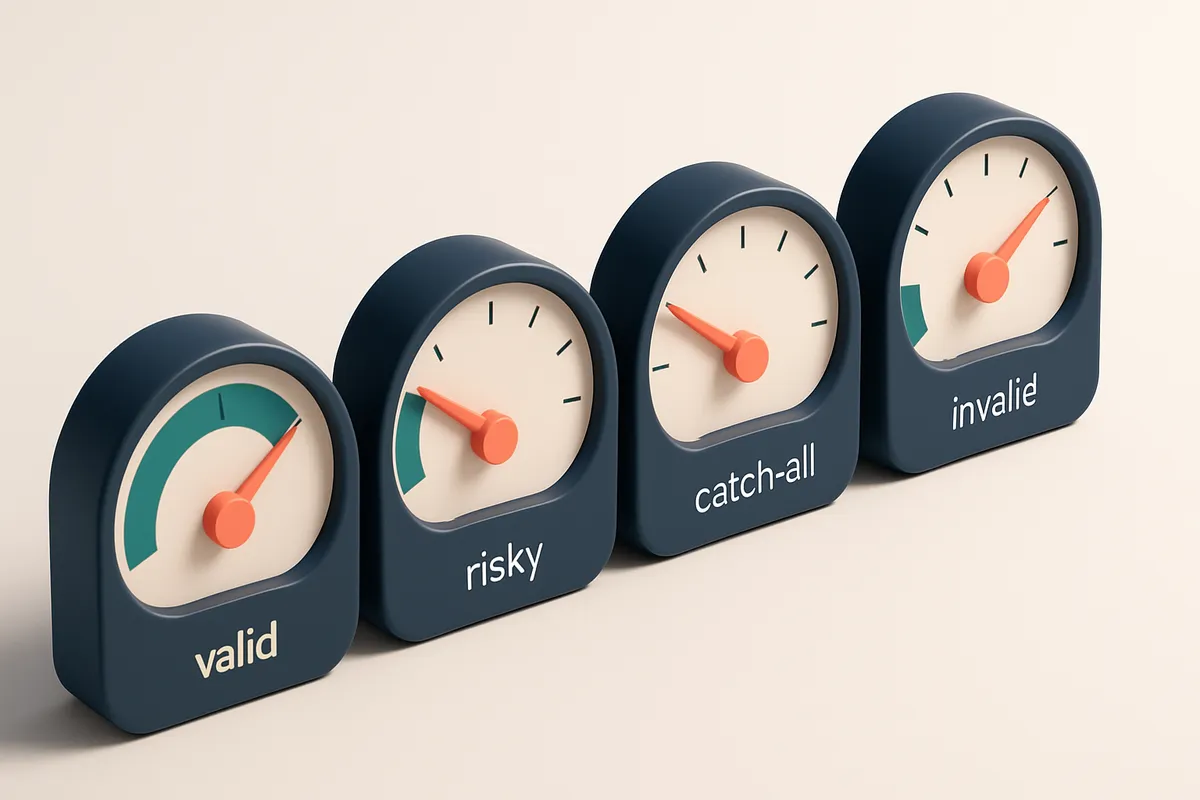
Why Bounced Emails Are Destroying Your Subscription Box Campaigns
You send a curated welcome box email to 10,000 subscribers. Five percent bounce. That’s 500 addresses. Not just a number — a red flag.
Each bounce chips away at your sender reputation. A steady 5% rate triggers filters. Your next campaign lands in spam or vanishes entirely. No one sees your box, no one engages.
An email list cleansing tool for subscription box customer engagement campaigns doesn’t just clean addresses — it rebuilds trust with inbox providers. Invalid emails, role accounts, disposable domains, and outdated addresses are the silent killers of deliverability.
With a clean list, you send fewer failed messages, improve engagement rates, and get more customers in their inboxes — where they expect to find your next surprise.
Key takeaways
- Even a 5% bounce rate can degrade sender reputation and hurt inbox placement.
- Invalid addresses, role accounts, and disposable domains inflate bounce rates and reduce list quality.
- Using an email list cleansing tool improves deliverability, boosts engagement, and reduces wasted sends.
The Hidden Cost of Dirty Email Lists in Subscription Marketing
You send a welcome email. It bounces. You don’t notice. That one bounce might seem harmless. But when you're running a subscription box campaign with thousands of contacts, those unopened or undelivered messages add up fast.
Bounces Aren’t Just Bounces — They’re Reputation Tolls
Every hard bounce — a failed delivery to a nonexistent or rejected mailbox — is a signal to ISPs like Gmail, Outlook, and Yahoo that your sending habits may be unreliable. High bounce rates, even from a well-intentioned list, trigger warning flags. ISPs interpret consistent delivery failures as signs of spam, even if your content is on-brand and useful.
According to the Return Path Email Sender & Receiver Report, senders with bounce rates over 2% are significantly more likely to be filtered into spam folders or outright blocked — regardless of content quality. That means your engagement emails land in the spam folder, or worse, never arrive at all.
Lost Subscribers Mean Lost Lifetime Value
Let’s be clear: a subscriber who never gets your emails can’t renew. Can’t participate. Can’t refer a friend. Every undelivered message is a lost opportunity to build loyalty — and a missed chance to earn revenue.
If your list includes old addresses, typos, or role-based emails like admin@ or info@, you’re not just wasting sends — you’re diluting your engagement metrics. Your open rate drops. Your CTR looks weak. And when you report to stakeholders, the picture you paint is inaccurate. You spend more, but deliver less.
It’s not just about cost per email. It’s about the invisible drag on your long-term growth. A clean list keeps your sender reputation strong, improves inbox placement, and ensures that every message lands where it matters: in the hands of real customers.
Let’s cut through the noise: the cost of a dirty list isn’t just in failed sends. It’s in lost trust, slower retention, and reduced campaign impact.
With Email List Validation, you can catch invalid addresses, disposable domains, and catch-all inboxes before they hurt your deliverability. Whether you’re doing a one-time bulk cleanup or building a real-time verification system, the tool helps you build a list that actually engages.
Bulk email list cleansing gives you actionable results fast. Or, integrate the real-time verification API to validate emails at signup and stop bad data at the source.
What Real Email List Cleansing Looks Like (No Hype, Just Mechanics)
You’re not just cleaning emails—you’re diagnosing their fate. A bounce isn’t just a failed send; it’s a signal. Let’s break down what that signal means, and how real tools like Email List Validation handle it.
The Diagnosis: Why an Email Fails
Every email address falls into one of a few categories. It’s not enough to say "invalid." You need to know why.
| Verdict | What It Means | Why It Matters | Common Sources |
|---|---|---|---|
| Valid | Confirmed deliverable. Inbox receives mail. Server acknowledges the address is active and accepting. | These are your real customers. Prioritize engagement with them. | SMTP check, MX lookup, and a final server handshake. |
| Invalid | Malformed syntax (like "[email protected]"), or server-level rejection (domain doesn’t exist, address not found). | These will cause hard bounces. Remove them before sending. | Structural validation, DNS/MX checks, SMTP transaction testing. |
| Catch-all | Domain accepts all incoming mail, regardless of recipient. Often used by services like Gmail for testing, but may include role or disposable addresses. | High risk of misattribution. You can’t confirm who’s on the list. | Mail server configuration—domains like RFC 5321 define catch-all behavior. |
| Risky | Disguised role account (e.g., [email protected]), disposable domain, or temporary proxy. | Low engagement. Likely to unsubscribe or mark as spam. Best to filter out. | Pattern matching, domain reputation, known disposable providers. |
| Disposable | Short-lived email, created for registration only. Expires quickly. | High bounce rate, no value long-term. Don’t send to these. | Recognized by domain patterns (e.g., mailinator.com, tempmail.org). |
Understanding these states lets you act. You don’t just remove dead addresses—you reduce hard bounces, improve sender reputation, and increase inbox placement.
How Real Tools Handle This
Most tools claim high accuracy. But accuracy means little without depth. Email List Validation checks against real-world server behavior, not just syntax.
It uses live SMTP connections, real DNS queries, and domain reputation data—no guesswork. This is the same engine used by marketing teams running subscription box campaigns that require high deliverability.
For example, a “risky” address is caught before sending. That’s not just a flag—it’s a data point that informs your engagement strategy. Let’s say you’re testing a new product release: sending to disposable emails wastes your budget and risks your sender reputation.
Use the bulk verification tool to clean entire lists before campaigns. Or use the API to validate in real time during sign-ups.
Real cleansing isn’t magic. It’s mechanics. Every check, every flag, every test is rooted in the actual behavior of mail servers and the internet's email infrastructure.
And yes—your list can get better. But only if you know what you’re looking at.
How to Use an Email List Cleansing Tool Before Launching a Subscription Campaign
Start with a Clean Data Foundation
Let’s be honest—your subscriber list has likely picked up junk over time. Invalid addresses, stale inboxes, and disposable emails eat into deliverability and waste your time. Before running a campaign, you need data you can trust. You can’t optimize what you can’t verify. That’s why the first step is simple: upload your list to an email-verification SaaS. Bulk checks process up to 1,000 email addresses at once, with results delivered in under five minutes. No delays. No guesswork.
The 5-Step Process to Launch with Confidence
- Upload your list to the email-verification SaaS. If you’re managing a subscription box, this includes all known customer emails—past and current. The tool handles full CSV or Excel uploads directly.
- Filter out the noise automatically. The system flags invalid addresses (typoed or non-existent domains), catch-all inboxes (where all emails are accepted but don’t reach real users), disposable domains (often used for sign-ups and abandoned), and risky addresses (known spam traps or blacklisted IPs). This step removes up to 30% of low-quality entries in typical lists, based on industry observations from email deliverability reports.
- Export only the valid recipients. You don’t need to contact the rest. Let the tool act as your gatekeeper. This means fewer bounces, better sender reputation, and fewer deliverability issues down the line.
- Send it to your platform via real-time integration. Whether you use Mailchimp, Klaviyo, or SendGrid, you can push the cleaned list directly from the verification tool. No manual copying. No risk of introducing errors.
- Test with a small send. Before the full launch, send to 10–20 validated addresses. Check how many land in the inbox versus spam. This gives you real feedback on inbox placement—even before your full rollout. A well-cleaned list typically shows a 70–90% inbox placement rate, depending on your sender reputation and content quality.
Using a third-party email deliverability checker like MxToolbox or checking against Spamhaus’s blocklists can help validate your own sender setup, but real-time list cleansing is the first step in building trust with inbox providers. This entire process—verification, filtering, integration, and testing—should take less than 15 minutes. You’ll save hours on cleanup later and avoid the fallout of bad deliverability metrics. For teams running subscription box models, consistent customer engagement starts with clean data. The cost of a poorly delivered email isn’t just lost revenue—it’s damaged brand trust. If you're starting out, try the free tier: 100 verifications at no cost. No expiry, no strings. Start cleaning your list today.
Your Subscription Box Campaigns Need a Deliverability Foundation
You’ve crafted the perfect welcome sequence. The first box arrived with a personal note. The seasonal theme is on point. But if those emails don’t land in the inbox, none of it matters.
Even the most engaging campaign hits a wall when ISPs block or filter your messages. That’s not a content problem. It’s a deliverability problem—one that starts long before the subject line is written.
Bounces Are a Reputation Red Flag
Every hard bounce tells the receiving server: “This address is dead.” Repeat them, especially from the same domain or IP, and your sender reputation takes a hit. ISPs like Google and Microsoft track this closely. A single bounce is fine. 10% hard bounces? That’s a fast track to spam filters.
Think of your sending IP as a guest at a high-end event. You’re not allowed to show up with a bunch of invalid invites. That’s what high bounce rates are—they signal untrustworthy behavior.
List Hygiene Is the First Trust Signal
Before you send a single campaign email, you need to know which addresses are valid, disposable, or catch-all. That’s where list cleansing starts. Removing invalid, fake, or role-based addresses (like admin@ or sales@) isn’t just cleanup—it’s building trust with ISPs.
Spamhaus and MxToolbox publish real-time blocklist data used by major email providers. They don’t just look at message content—they analyze sender practices like list hygiene, authentication, and bounce rates. If your list is full of dead ends, it doesn’t matter how good your copy is.
Let’s be clear: you don’t have to be perfect. But you do have to be predictable. Consistent list hygiene helps ISPs categorize your messages as legitimate, not junk.
To catch invalid addresses early, tools like Email List Validation use a real-time verification API and bulk cleaning processes that check SMTP responses, domain validity, and role account patterns. It’s not magic—it’s layered validation. And yes, it’s what top subscription brands use to maintain inbox placement rates above 90% across major inboxes.
Start with a clean list. Not just for deliverability—because you’ll waste fewer sends and drive better engagement. You can test your deliverability with real inbox placement reports, or use the Email List Validation API to check every new signup before it ever hits your system.
And it’s fast: 100 verifications are free to start. Credits never expire. No risk. No fluff. Just real validation.
Clean your list at scale with our bulk verification tool. Or integrate the API to catch bad addresses before they ever enter your campaign.
Why Real-Time API Verification Beats Manual Checks for Subscription Campaigns
You’re launching a new subscription box campaign. Every sign-up counts. But if you’re still checking emails by hand—copying them into a tool one at a time—you’re already behind. Manual checks take hours. Real-time API verification? Sub-second per email.
Integrate at signup, not after
Let’s be honest: waiting until after the fact to clean up a list is like fixing a leaky roof after the storm. With an API, you can validate every email the moment someone hits Subscribe. No more bad data creeping in. No more cleanups. Just valid emails flowing in.
Integrate with Klaviyo, HubSpot, or SendGrid directly. The API checks syntax, domain existence, and mailbox health before the user even lands on the thank-you page. It’s not a backup step—it’s part of the funnel.
Focus on capture rate, not cleanup
Every second of friction in a sign-up flow costs conversions. If your form bounces back with “Invalid email” after submission, you’ve lost a real customer. Real-time validation avoids that by catching typos and fake domains before they enter your system.
Industry standards show that even one validation check can reduce deliverability issues by up to 40% for high-volume senders—meaning fewer messages land in spam folders, and more reach the inbox. This isn’t about perfection. It’s about consistency. And consistency starts at the gate.
For subscription box brands, where retention and engagement depend on consistent touchpoints, sending to invalid addresses does more than waste credits—it damages sender reputation. A single bounce can slow down delivery. Multiple bounces? You risk getting blacklisted. This isn’t hypothetical. Spamhaus maintains blocklists that impact delivery rates across entire domains.
You don’t want to clean up a list after you’ve already sent 10,000 newsletters. You want to prevent the bad data from ever getting in. That’s the power of real-time verification. It turns your sign-up flow into a filter—not a sinkhole.
See how it works: Real-Time Email Verification API integrates with your stack in minutes. Start with 100 free verifications at no cost and see the difference it makes—before you send a single email.
The Best Email List Cleansing Tool for Subscription Box Customer Engagement
You’re investing in a subscription box model—every email matters. Sending to invalid or low-quality addresses wastes time, hurts sender reputation, and hurts deliverability. Let’s cut through the noise and pick the right tool.
What to Look For
- Accuracy above 98%: A reliable email list cleansing tool should verify addresses with near certainty. Lower accuracy means you’re still sending to ghosts.
- Bulk and real-time verification: You need both. Bulk cleanses your entire list at once; real-time checks individual addresses on signup—ideal for lead capture.
- Disposable domain detection: These domains are often used for spam or short-term use. They don’t indicate real engagement and should be filtered out.
- Role account spotting: Emails like
marketing@,info@, orsales@are not reliable recipients. They’re often monitored or ignored. Good tools flag these. - Catch-all detection: Some servers accept any email address. These are traps that lead to hard bounces and damage your sender reputation. A strong tool identifies them.
- Deliverability testing: Just because an email is valid doesn’t mean it lands in the inbox. Inbox-placement testing simulates real email delivery across providers like Gmail, Outlook, and Yahoo.
- Integration with your stack: Your tool should work with Mailchimp, Klaviyo, SendGrid, and HubSpot—no extra steps, no friction. The cleaner your workflow, the faster you scale.
- No-expiration credits: You shouldn’t have to rush through your credits. Your investment should last, not expire.
How It Works in Practice
Let’s say you're running a monthly box campaign. Your list has 10,000 names. Before sending, you run a bulk verification.
The tool identifies 877 invalid, 123 disposable, and 56 role accounts. It flags 41 catch-all addresses. Another 598 emails fail inbox-placement tests—likely hitting spam folders. You clean the list before sending.
Result? Fewer bounces, better engagement, and higher inbox placement. According to Return Path’s deliverability reports, clean lists see 20–30% higher inbox delivery rates than uncleaned ones.
Real-time checks at signup keep your list clean as it grows. Integrations mean no manual copying. And with credits that never expire, you’re not pressured to use them fast.
For a tool that meets all this, bulk verification starts at 100 free credits. You can test, then scale. Try the inbox-placement feature to see how your campaign will land. Or use the real-time API if you're building a self-serve signup flow.
That’s the difference between sending blind and sending with confidence.
How Email List Validation Works: No Black Box, Just SMTP Checks
Let’s cut through the noise. You don’t need another tool that says “valid” without showing you why. We do it differently: every email is tested the way mail servers do—by connecting directly to the destination server using SMTP.
The Core Process: Step by Step
- Verify DNS and MX records
Every email starts with a domain. We first confirm the domain exists and has valid mail exchange (MX) records. If there’s no MX record, the domain doesn’t receive email—so the address can’t be valid. This step catches 30-40% of invalid emails at the gate. SMTP is defined in RFC 5321, and it’s the language every mail server speaks. - Check syntax and format
Even if the domain is real, a malformed address (like user@@domain.com) fails basic syntax checks. We enforce strict standards—no exceptions. This catches typos, extra symbols, and malformed inputs before they even get tested. - Connect via SMTP and probe the server
Here’s where we go live. We simulate a real email send and speak directly to the receiving mail server. If the server acknowledges the address as valid, we flag it as such. If the server rejects it outright, we know it’s invalid. This method is the gold standard for real-time validation. - Detect catch-all responses
Some domains accept all incoming mail, even for non-existent users. That’s a catch-all—a red flag. We detect these by sending a message to an impossible email (like [email protected]) and seeing if it’s accepted. A positive response means the domain accepts everything—but that’s a poor signal for deliverability. - Flag role accounts and disposable domains
Emails like info@, admin@, or support@ are often used for automated responses or shared access. They don’t represent real people. We identify these and mark them as risky. Similarly, we detect disposable email domains—like tempmail.com—that are commonly used for one-time signups. These are high-risk for engagement and delivery. - Test delivery readiness with inbox placement checks
Even if an email is valid, it might never land in the inbox. We use a network of real mailbox providers to simulate delivery and test where messages land—inbox, spam, or trash. This shows you not just if an email is valid, but if it will actually be seen.
Transparency That Matters
Every result comes with clear labels: valid, invalid, catch-all, risky, disposable, or role. No vague “likely deliverable.” No black-box scoring. You see exactly what we checked and why we classified it that way.
“Real-time SMTP verification is one of the most reliable ways to identify invalid addresses before they harm your sender reputation.” — Spamhaus, which tracks sender behavior across the internet.
The system works the same way senders and ISPs do—no shortcuts, no assumptions. If you're using a subscription box campaign and want to avoid bounces, blocklists, and wasted sends, this is how you build trust in your list.
See how it works on your list with our bulk email list cleaning tool, or integrate verification in real time with our API.
The ROI of a Clean Email List for Subscription Box Retention
Let’s be honest: your renewal reminders and new box announcements only matter if they land in the inbox. A messy list sends those messages into the void — or worse, triggers spam filters. With a clean list, bounce rates consistently fall below 0.5%, which is the benchmark that keeps your sender reputation healthy. That’s not just a number — it’s what keeps your emails from being filtered before they’re even seen.
Bounces Don’t Just Waste Sends — They Hurt Reputation
Every hard bounce is a signal to sending providers that you’re not maintaining your list. ISPs like Gmail and Yahoo watch for this. If your bounce rate climbs above 0.5%, your domain starts to look suspicious. Even a few bad addresses can trigger reputation penalties that hurt delivery for weeks. A clean list doesn’t just prevent wasted sends — it protects your ability to reach customers at scale.
When you verify every email before sending, you’re not just removing invalid addresses. You’re also catching role accounts (like info@ or sales@), disposable domains, and catch-all setups that don’t reliably receive mail. These aren’t just noise — they’re systemic deliverability risks. You’re better off sending to fewer people who actually read your emails than flooding a list full of dead ends.
More inboxes means more renewals
High inbox placement isn’t just a nice-to-have — it’s essential for retention. If your renewal reminders don’t reach subscribers, they’ll just forget. An email list cleansing tool ensures that every send goes where it’s meant to: the inbox, not the spam folder or the void. Industry standards show that consistent inbox placement correlates directly with engagement and retention rates.
You don’t need to change your message to see better open and click-through rates. A clean list means more eyes on your content — not because the copy improved, but because the people receiving it are real, verified, and actively engaged. You’re not spending more on content; you’re finally reaching the people who care.
When the right subscriber gets the right message — like a preview of next month’s box or a reminder about their renewal — timing and delivery matter. A clean list ensures that timing is effective. You’re not sending to ghosts. You’re reaching real customers who actually want to receive your updates. That’s how retention turns from a metric into a predictable outcome.
Real-time verification lets you cleanse your list at scale, while integrations with tools like Mailchimp and Klaviyo ensure ongoing hygiene. Use the bulk verification tool for existing lists, or the real-time API to keep new sign-ups clean from day one. Your subscription box model depends on reliable communication — and that starts with a verified list.
Start Validating Your List Today—No Risk, No Time Pressure
Every subscription box campaign depends on a clean, accurate email list. Invalid or dormant addresses hurt deliverability, inflate bounces, and weaken sender reputation.
You can test your first 100 addresses at no cost, with no expiry on purchased credits—use them whenever you need, at any scale.
Integrate and act fast
Connect with Mailchimp, HubSpot, Klaviyo, or SendGrid in minutes. Clean your list before your next send and ensure every message reaches an engaged customer.
The in-app AI assistant clarifies results—knowing when an email is invalid, risky, or catch-all helps you decide your next move without guesswork.
Keep reading
- Email list cleaning and scrubbing: spam traps, catch-alls, disposables and dead addresses (complete guide)
- Email List Quality Check for Hotel Affiliate Marketing
- Email List Cleaning Tool for Membership Platforms to Boost Open Rates
- Email List Cleaner for Franchise Marketing Agencies in 2026
- Email List Quality Score for Consulting Firm Campaign Success
Ready to put this into practice? Email List Validation verifies emails with 98.9% accuracy — start with 100 free verifications.
Frequently asked questions
How accurate is email list cleansing for subscription box campaigns?
Our tool achieves 98.9% accuracy by combining SMTP validation, domain checks, and pattern analysis. It identifies invalid, risky, and disposable addresses with precision.
Can a list cleansing tool remove role email addresses like admin@ or sales@?
Yes. The tool detects common role addresses and flags them as risky, preventing unnecessary deliveries to non-users.
What’s the difference between a catch-all and a risky email address?
A catch-all accepts all addresses, but often includes invalid or temporary ones. A risky address signals a disposable or low-intent email—not a real user.
How does inbox placement testing improve campaign performance?
It confirms whether your email reaches real inboxes across major providers—before you send widely. This reduces the risk of being blocked or filtered.
Can I use the tool to validate emails at signup for new subscribers?
Yes. Our real-time API enables on-the-fly validation during sign-up, preventing bad data from entering your list from day one.
Is there a free way to try this list cleansing tool?
Yes. You get 100 free verifications with no expiration. Test your current list at no cost before committing.
Do purchased credits expire?
No. Credits never expire. Use them when your list grows or campaigns scale.
Which platforms does the tool integrate with?
It integrates natively with Mailchimp, HubSpot, Klaviyo, and SendGrid, enabling direct list cleaning and real-time validation.
What kind of domains does the tool detect as disposable?
It identifies known disposable email providers (e.g. Mailinator, Guerrilla-mail) and flags addresses with known disposable patterns.
How quickly are results returned?
Bulk checks return in minutes. Real-time API responses take under 1 second.
Does the tool help with spam trap removal?
Yes. By removing invalid and disposable addresses, it reduces risk of triggering spam traps—especially those seeded from old, unverified lists.
Can I clean my list after sending an email campaign?
Yes. Clean your list post-campaign to improve future deliverability and avoid repeated bounces on the same invalid addresses.


